Introduction
This guide is for users of GetVerifyCode who want to understand SMS holds, timeouts, and the refund process. Knowing how these features work will help you use your temporary virtual number effectively for SMS verification.
Quick Answer
- SMS holds typically last around 20 minutes.
- Unused holds can be returned if no SMS is received before timeout.
- Refunds for unused holds are processed automatically.
- You can check your wallet credits and purchase additional credits.
- Temporary virtual numbers are ideal for account verification and privacy.
Table of Contents
- Introduction
- What are SMS Holds?
- Understanding Timeout Periods
- Refund Process for Unused Holds
- How to Buy Wallet Credits
- Step-by-Step Guide to Using GetVerifyCode
- Final Checklist
- FAQ
What are SMS Holds?
SMS holds occur when you purchase a temporary virtual number to receive SMS verification codes. When you request a code, the system holds the number for a limited time, allowing you to receive the SMS. This ensures that the number is not used by anyone else during that period.
Understanding Timeout Periods
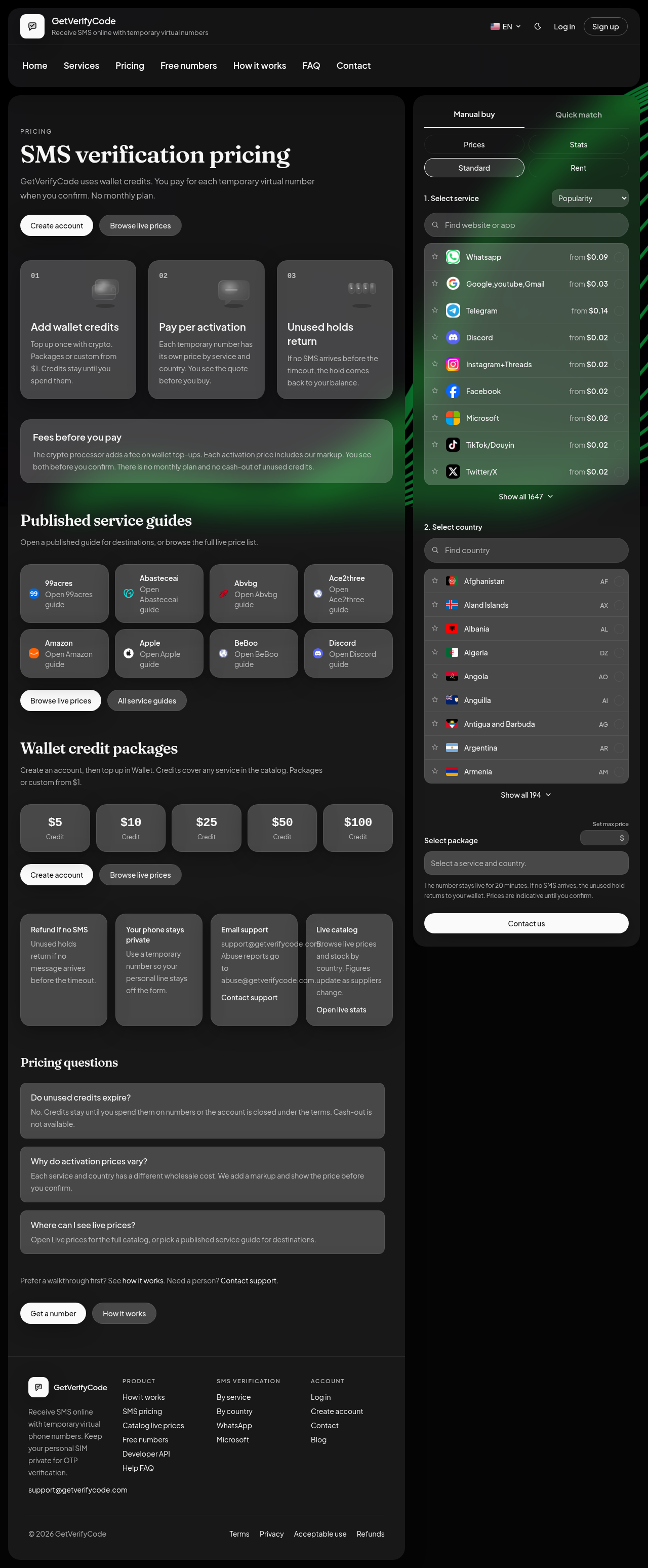
The timeout period for SMS holds is generally around 20 minutes. If you do not receive an SMS within this time frame, the hold on the number is released. This allows you to try again or use a different number if needed. To avoid losing your hold, ensure that you are using a compatible service that supports SMS verification.
How holds work
!Pricing: 20-minute window and unused holds return Open Pricing screenshot
Refund Process for Unused Holds
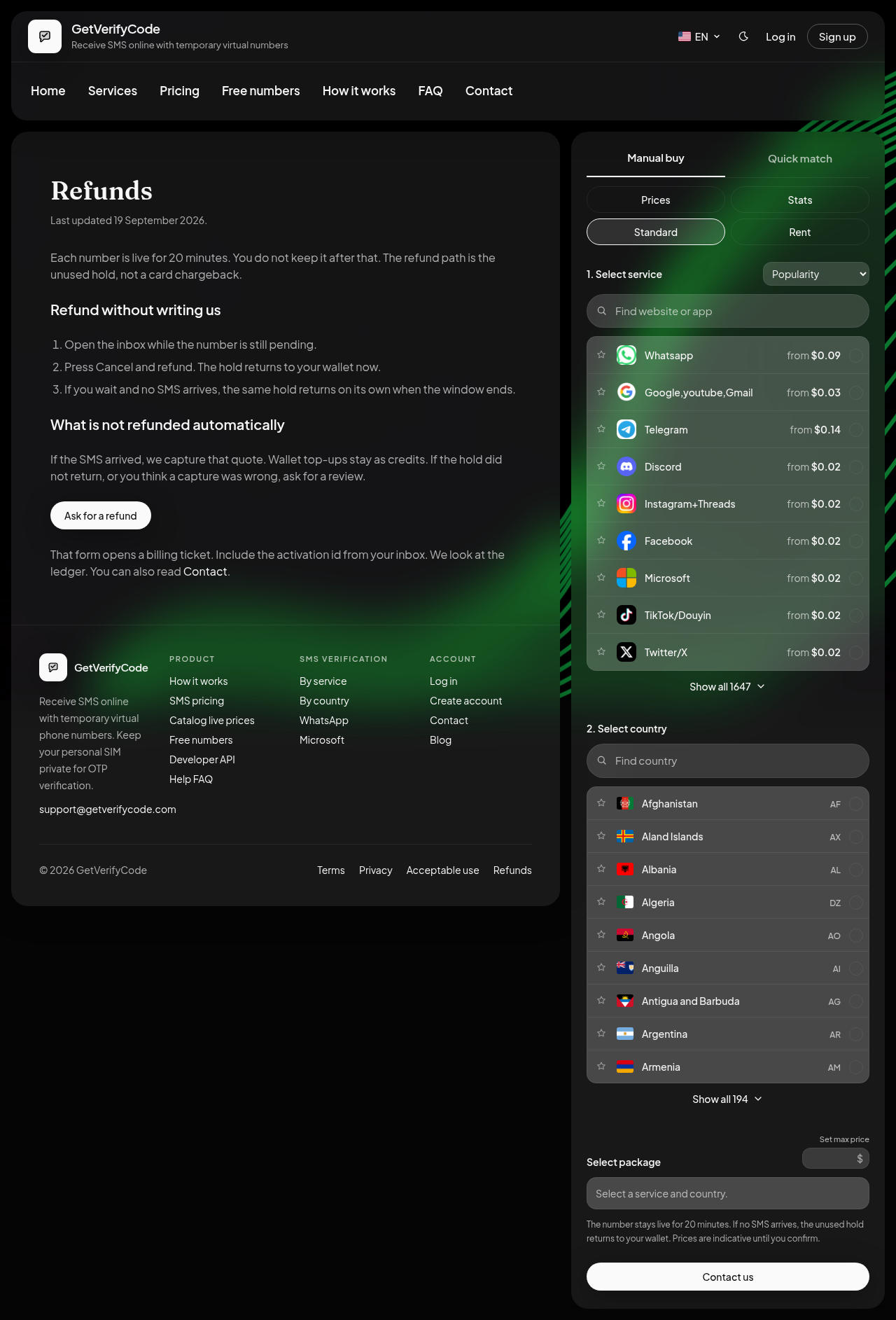
If you do not receive an SMS before the timeout period expires, you can receive a refund for the unused hold. The refund is processed automatically, and the credits will be returned to your wallet. It is important to check your wallet balance after the timeout to confirm the return.
Cancel and refund
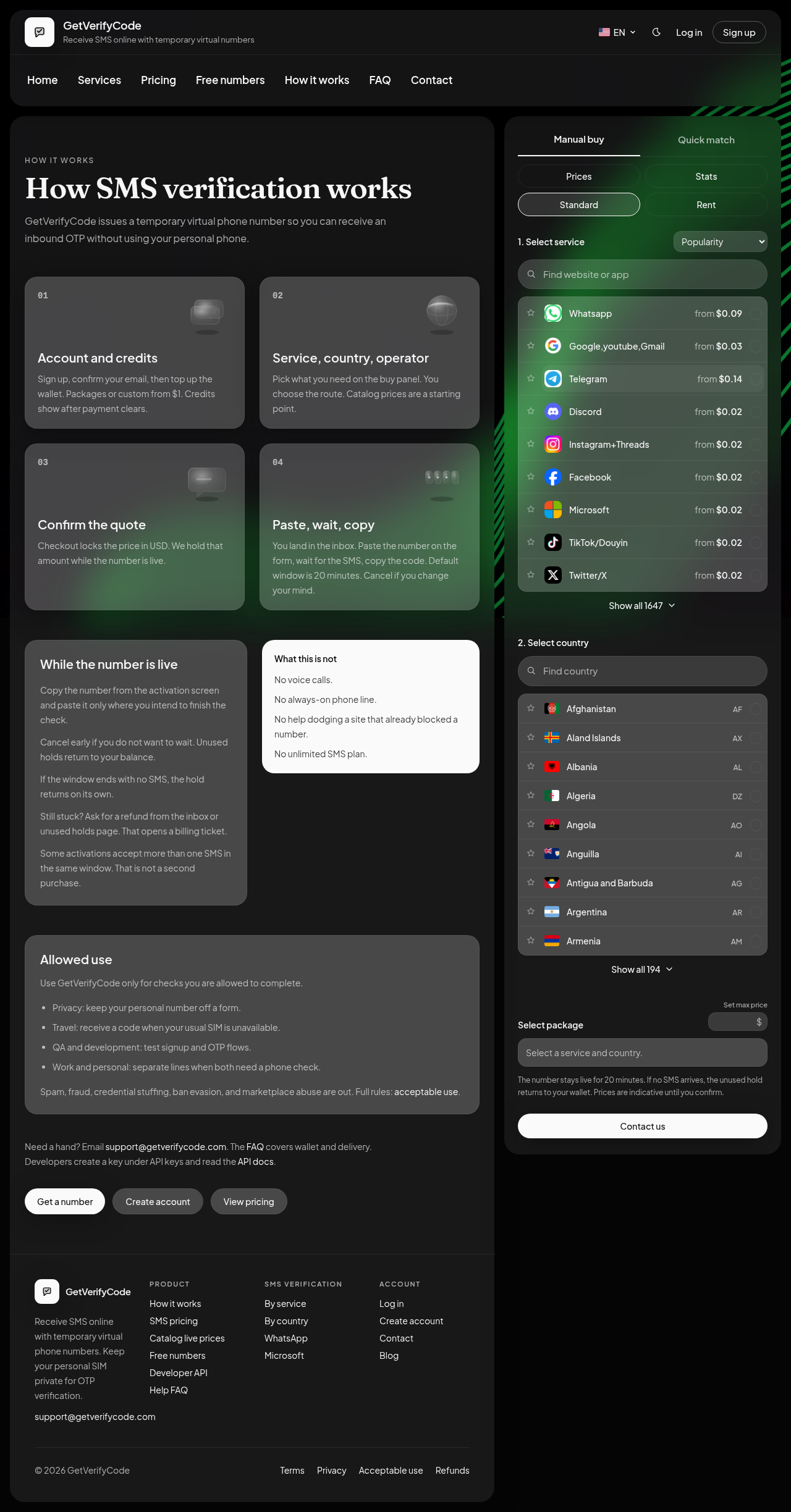
If you need to cancel a hold, you can do so while the number is still live. Look for the early exit label in your inbox, which allows you to Cancel and refund. If your number gets stuck, you can ask for a refund by providing the activation ID.
!How it works: hold while the number is live Open How it works screenshot
How to Buy Wallet Credits
- Visit getverifycode.com/start.
- Choose your desired package or custom amount.
- Select your payment method, including crypto top-ups starting from $1.
- Confirm your purchase.
- Your wallet will be credited immediately after payment.
Step-by-Step Guide to Using GetVerifyCode
- Visit the Website: Go to getverifycode.com.
- Create an Account: Sign up for an account if you do not have one.
- Purchase Credits: Use the Wallet section to buy credits.
- Select a Temporary Number: Choose a number from the available options.
- Request an SMS: Use the selected number for your SMS verification needs.
- Wait for the SMS: Monitor the hold for the incoming SMS.
- Refund if Necessary: If no SMS is received before the timeout, check your wallet for the refund.
Final Checklist
- Ensure you have sufficient wallet credits before purchasing a number.
- Confirm that the service you are using supports SMS verification.
- Keep track of the timeout period to avoid losing your hold.
- Check your wallet for refunds after the timeout if no SMS is received.
FAQ
What happens if I do not receive an SMS?
If you do not receive an SMS within the timeout period, the hold is released, and you can request a refund for the unused hold.
How long does the timeout period last?
The timeout period for SMS holds is approximately 20 minutes.
Can I get a refund for unused holds?
Yes, refunds for unused holds are processed automatically and returned to your wallet.
How do I check my wallet credits?
You can check your wallet credits by logging into your account on getverifycode.com and navigating to the Wallet section.
Is there a limit to how many SMS holds I can have?
There is no specific limit on SMS holds, but you should ensure you have enough wallet credits to purchase additional numbers.
What should I do if my SMS verification fails?
Ensure that the service you are using is compatible with SMS verification. If issues persist, consider trying a different temporary virtual number.
Can I use GetVerifyCode for multiple accounts?
You can use GetVerifyCode for lawful account verification purposes. Always adhere to the acceptable use policy outlined at getverifycode.com/legal/acceptable-use.
!Refunds: Cancel and refund and unused hold return Open Refunds screenshot
Compliance Note
GetVerifyCode is not affiliated with the third-party apps named in the article. Follow each app's terms and local law.